The store will not work correctly when cookies are disabled.
We use cookies to make your experience better.To comply with the new e-Privacy directive, we need to ask for your consent to set the cookies. Learn more.
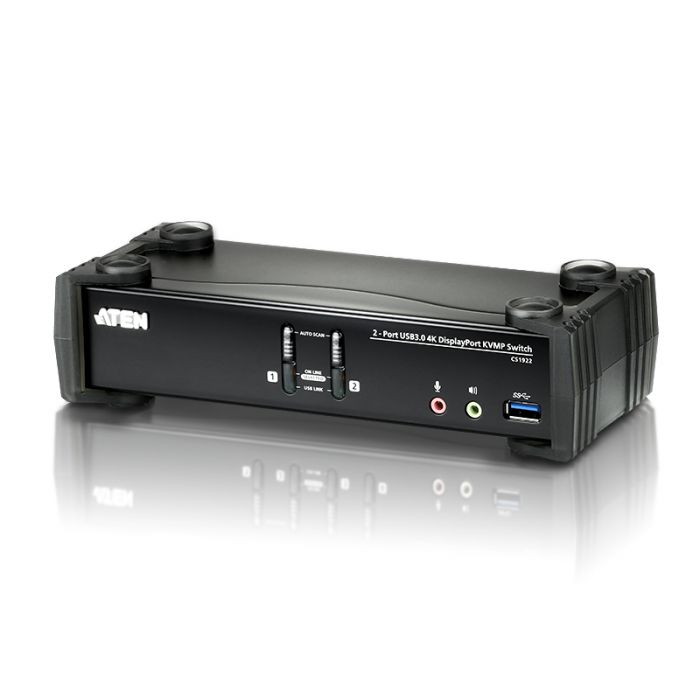
The ATEN CS1922 2-Port USB 3.0 4K DisplayPort KVMP™ Switch provides the latest innovations in desktop KVM switching technology for the increasing demand of higher video quality and transfer speeds on modern computers. The ATEN CS1922 offers an unprecedented performance of delivering 4K resolution, the next generation USB 3.1 Gen 1 hub with SuperSpeed 5 Gbps data transfer rates and enhanced user-friendly operations.
Features
2-port DisplayPort KVMP™ Switch with USB 3.1 Gen1 hub and 2.1 surround sound audio
One USB console controls 2 computers and 2 USB peripherals
Computer selection via front panel pushbuttons, hotkeys and mouse*
Independent switching of KVM, USB, and Audio focus
Superior video quality – 4K UHD (3840 x 2160 @ 60 Hz) and 4K DCI (4096 x 2160 @ 60 Hz)
2-port USB 3.1 Gen 1 hub with SuperSpeed 5 Gbps data transfer rates
DisplayPort 1.2 compliant, HDCP compliant
Supports HD audio through DisplayPort**
Full bass response for high-quality 2.1 channel surround sound systems
Power On Detection – if a computer is powered off, the CS1922 automatically switches to the next powered-on computer
Multi-Stream Transport (MST) allows multiple monitors through a single DisplayPort connector***
DisplayPort Dual – Mode technology (DP++) supports HDMI and DVI signals via a DisplayPort-to-HDMI/DVI DP++ adapter****
Hot pluggable – add or remove computers without powering down the switch
Keyboard emulation/bypass feature supports most gaming keyboard
Mouse emulation/bypass feature supports most mouse drivers and multifunction mice
Multi-platform support – Windows, Mac and Linux
Multilingual keyboard mapping supports English, Japanese, French and German keyboards
Mac keyboard support and emulation*****
Auto Scan Mode for monitoring all computers
Firmware upgradeable Note: 1. Mouse port switching is only supported under mouse emulation mode with a USB 3-button mouse wheel. 2. HD audio through DisplayPort cannot be switched independently. 3. MST requires two monitors capable of DisplayPort 1.2 daisy-chaining, or use of a DisplayPort MST Hub. The PC source must be DisplayPort 1.2 compliant. A DisplayPort v1.1a display can be the last display in a DisplayPort v1.2 chain. 4. DisplayPort Dual – Mode technology (DP++) does not require an active adapter for most single display setups. Active DisplayPort adapters are recommended if you are unsure of the video source's DP++ compatibility. 5. PC keyboard combinations emulate Mac keyboards. Mac keyboards only work with their own operating system.
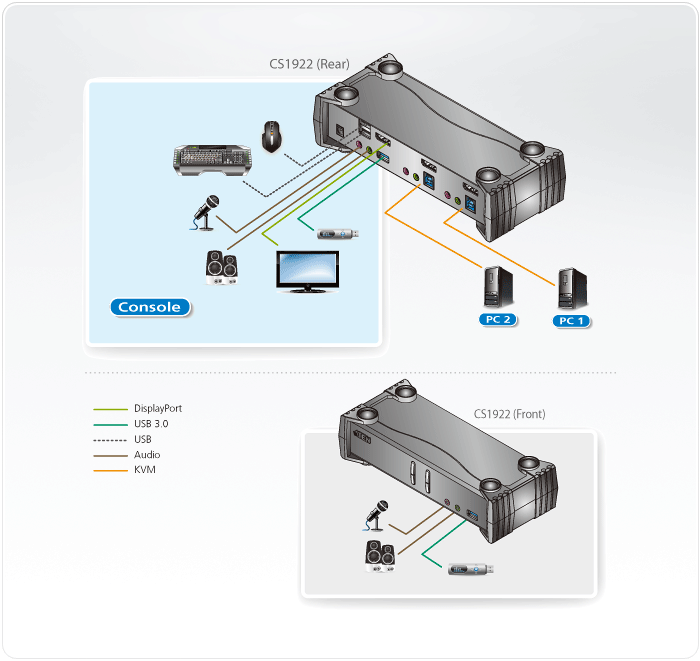
Diagram
Content
1x CS1922 2-Port USB 3.0 4K DisplayPort KVMP™ Switch 2x LIN5-20K1-K13G DisplayPort Cables 2x LIN6-11C1-E12G USB 3.0 Cables 2x LIN5-0205-21CG Audio Cable 2x LIN5-0205-21DG Audio Cable 1x 0AD8-8005-40MG Power Adapter 1x LIN2-418K-E12G Power Cord 1x User Instructions
Specifications
Computer Connections
2
Port Selection
Hotkey, Pushbutton, Mouse
Connectors
Console Ports
2 x USB Type A Female (Black) 1 x DisplayPort Female (Black) 2 x 3.5mm Audio Jack Female (Green; 1 x front, 1 x rear) 2 x 3.5mm Audio Jack Female (Pink; 1 x front, 1 x rear)
KVM (Computer) Ports
2 x USB3.1 Gen1 Type B Female (Blue) 2 x DisplayPort Female (Black) 2 x 3.5mm Audio Jack Female (Green) 2 x 3.5mm Audio Jack Female (Pink)
Power
1 x DC Jack
USB Hub
2 x USB3.1 Gen1 Type A Female (Blue; 1 x front panel; 1 x rear panel)